
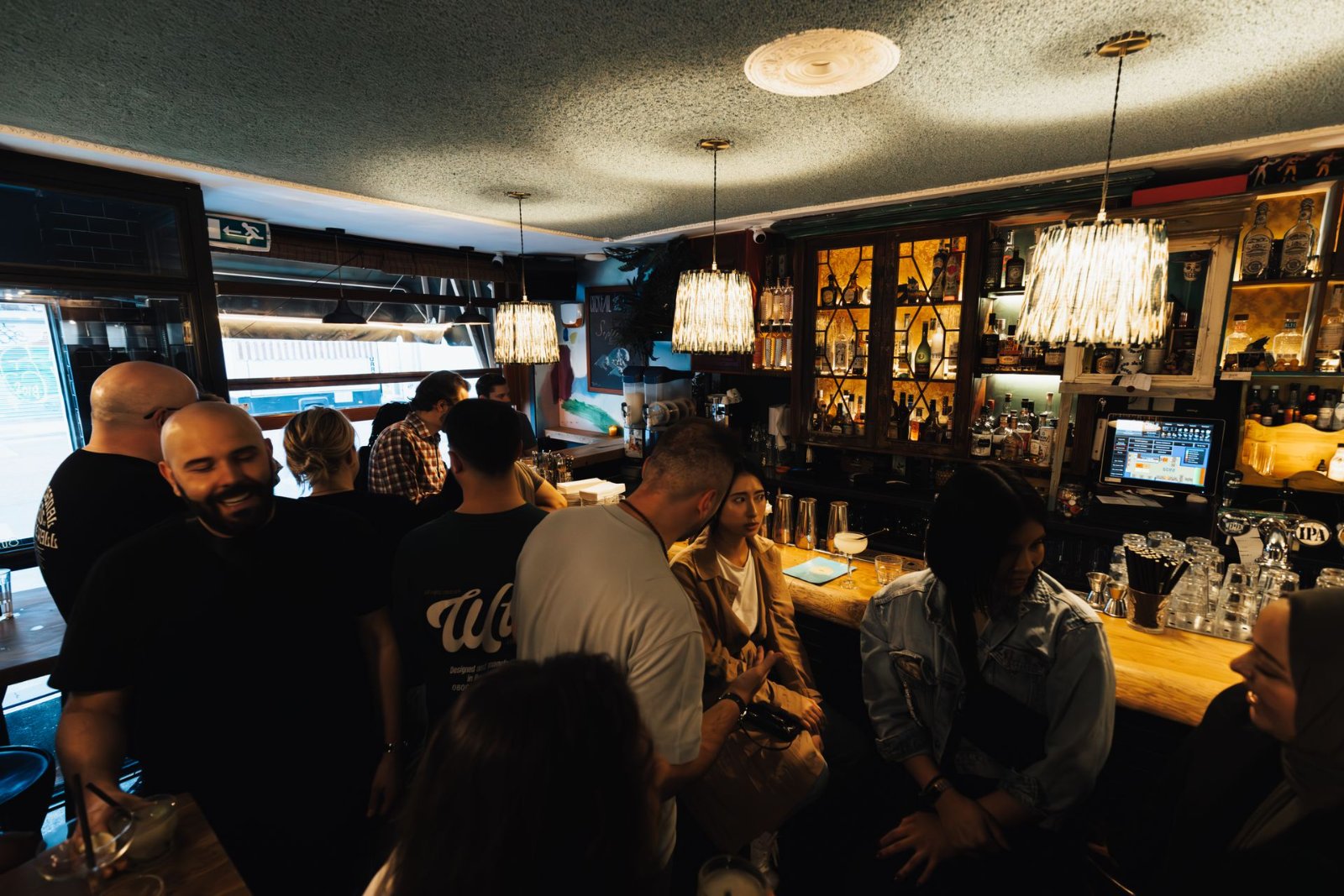
Halloween in San Diego is nothing short of legendary. From the electric energy of the Gaslamp Quarter to the costume-packed streets of North Park and beyond, the city transforms into one giant, glittering spectacle every October 31st. And if you’re planning to join a Halloween bar crawl this year — especially one organized by a trusted crew like Barcrawlerz — you’re in for an unforgettable night of costumes, cocktails, and community.
But here’s the thing: as bar crawls have grown bigger and more popular, so has the need to stay connected, stay safe, and stay powered up throughout the night. The last thing anyone wants is to get separated from their group at 11 PM on a packed Halloween night with a dead phone and no way to call for help or find their friends.
That’s why 2025 crawlers are getting smarter about the tech they bring. This guide is your comprehensive look at the best safety tech tools, apps, and gadgets that Halloween bar crawl participants in San Diego are using this year to stay connected, stay safe, and — critically — keep their phones alive all night long.
Why Halloween Bar Crawl Safety Tech Matters More Than Ever in 2025
San Diego’s Halloween bar crawl scene has exploded in recent years. Events like those hosted by Barcrawlerz draw hundreds — sometimes thousands — of participants across multiple venues in a single evening. The Gaslamp Quarter alone can see foot traffic that rivals New Year’s Eve, and navigating those crowds in costume while trying to keep track of a group of 10 friends is genuinely challenging.
In 2025, technology has evolved to meet this challenge head-on. Smartphones are more powerful than ever, but they’re also more battery-hungry. Between GPS navigation, group chats, social media sharing, and the inevitable flood of Halloween photos, your phone can drain from 100% to dead in just a few hours.
“The number one complaint we hear from bar crawl participants isn’t about the venues or the drinks — it’s about losing people in the crowd and running out of battery,” says a Barcrawlerz event coordinator. “That’s why we’ve started actively recommending specific tech tools to all our crawlers before the event.”
The good news? There are more practical, affordable, and genuinely effective solutions available now than ever before. Let’s break them all down.
Essential Battery-Saving Strategies for a Full Night of Crawling
Before we dive into the gadgets and apps, it’s worth understanding the fundamentals of battery management on a long night out. These strategies work hand-in-hand with the tech tools we’ll discuss throughout this article.
Optimize Your Phone Settings Before You Leave Home
This sounds basic, but most people skip it entirely. Before you head out to your Barcrawlerz Halloween event, take five minutes to optimize your phone settings. Reduce screen brightness to around 50-60%, enable battery saver mode, turn off Wi-Fi if you’re not actively using it (your phone constantly searching for networks is a silent battery killer), and disable background app refresh for apps you don’t need running constantly.
On iPhone, enable Low Power Mode through Settings > Battery. On Android, the equivalent feature is Battery Saver or Adaptive Battery depending on your device. These simple adjustments can extend your battery life by 20-30% without significantly impacting your experience.
Close Background Apps Strategically
Social media apps like Instagram, TikTok, and Snapchat are notorious battery drains, especially when they’re running in the background and constantly refreshing. Before you start the crawl, close all non-essential apps. Keep your group communication app, maps, and your Barcrawlerz event app open — everything else can wait until you’re back home reviewing the night’s photos.
Turn Off Features You Don’t Need
Bluetooth, NFC, and location services running for every app are silent battery assassins. On Halloween night, you want location sharing active for your group — but only for the apps that actually need it. Go through your location permissions and restrict access to background location for any app that doesn’t absolutely require it. This alone can make a noticeable difference over a four to six hour crawl.
The Best Portable Chargers for Halloween Bar Crawls in San Diego
If there’s one piece of tech every single bar crawl participant should own, it’s a quality portable charger. But not all power banks are created equal, and choosing the right one for a Halloween night out requires some thought.
What to Look for in a Bar Crawl Power Bank
For a Halloween bar crawl, you want something that balances capacity, size, and speed. A 10,000mAh power bank will typically give most modern smartphones two to three full charges — more than enough for a full evening. But you also don’t want something so heavy or bulky that it’s uncomfortable to carry in your costume.
Look for power banks with at least 18W fast charging capability, both USB-A and USB-C outputs (so you can charge multiple devices or share with friends), and a built-in LED indicator so you can check remaining charge at a glance. Compact models that fit in a jacket pocket or small bag are ideal for a night of moving between venues.
Top Picks That 2025 Crawlers Are Swearing By
The Anker 523 Power Bank has become a fan favorite in the bar crawl community for its slim profile and reliable 10,000mAh capacity. It’s lightweight enough to forget you’re carrying it but powerful enough to keep your phone alive all night. The Mophie Powerstation Plus is another popular choice, particularly because it has a built-in cable — one less thing to worry about losing in a crowded bar.
For those who want maximum capacity without sacrificing portability, the Baseus 20,000mAh Blade Power Bank is incredibly thin despite its large capacity, making it surprisingly easy to slip into even a moderately sized costume accessory bag.
Charging Cables: Don’t Forget the Basics
A power bank is useless without the right cable. Bring a short (1-foot) charging cable — they’re less likely to get tangled or caught on things as you move through crowds. Consider a multi-tip cable that works with both Lightning/USB-C and Micro-USB, so you can help friends who might not have come prepared.
Group Tracking Apps That San Diego Bar Crawlers Are Using in 2025
Staying connected with your crew is the cornerstone of a safe and fun bar crawl experience. These apps have become essential tools for Halloween night in San Diego.
Life360: The Gold Standard for Group Location Sharing
Life360 has evolved significantly and remains the most widely used group location tracking app among bar crawl participants. It offers real-time location sharing, the ability to see your entire group on a single map, and notifications when group members arrive at or leave specific locations. The app also has a “check in” feature that lets you mark your location at each venue — perfect for coordinating with the Barcrawlerz event schedule.
The free version is more than sufficient for a single night out, though the premium version adds features like crash detection and emergency response that some participants find valuable for extra peace of mind.
Zello: The Walkie-Talkie App That’s Making a Comeback
Zello turns your smartphone into a push-to-talk walkie-talkie, and it’s experiencing a serious renaissance among bar crawl groups. In loud bar environments where phone calls are nearly impossible and text messages get missed, being able to hold a button and instantly broadcast your voice to your entire group is genuinely useful.
The app uses very little data and can work over both cellular and Wi-Fi networks. Create a private channel for your group before the event, and you’ve got instant communication that works even when you can’t hear your phone ring over the Halloween music.
WhatsApp and Signal for Group Messaging
For groups that prefer text-based communication, WhatsApp and Signal are the most battery-efficient messaging options available. Both apps use end-to-end encryption and are significantly less battery-intensive than native SMS apps because they compress data more efficiently.
Set up your group chat before the night begins, pin it to the top of your messaging app, and make sure everyone has notifications enabled. Barcrawlerz often provides event-specific WhatsApp groups for participants, which is a great way to get real-time updates about venue changes, special offers, and group meetup points throughout the evening.
Google Maps Live Location Sharing
For a simpler, no-app-download-required solution, Google Maps’ built-in location sharing feature is incredibly effective. You can share your real-time location with specific contacts for a set duration — say, six hours for a Halloween crawl — and they can see exactly where you are on a standard Google Maps interface.
The advantage here is that almost everyone already has Google Maps installed and knows how to use it. No new apps to learn, no accounts to create. Just share your location with your group members before you leave home and you’re covered.
Wearable Safety Tech for Halloween Bar Crawls
Beyond smartphones, wearable technology has become an increasingly important part of the bar crawl safety toolkit. These devices can provide an extra layer of protection without draining your phone battery at all.
Smartwatches as a Secondary Communication Hub
If you own an Apple Watch, Samsung Galaxy Watch, or similar smartwatch, Halloween night is the perfect time to put it to work. Smartwatches can receive messages, show notifications, and even make calls — all without you needing to pull out your phone. This is particularly valuable in crowded bars where pickpocketing is a concern and where pulling out your phone constantly makes you a target.
Apple Watch’s “ping my phone” feature is surprisingly useful when you’ve set your phone down at a bar and can’t remember where it went. And if you have an Apple Watch with cellular capability, you have a backup communication device even if your phone battery completely dies.
Tile and AirTag: Never Lose Your Stuff Again
Losing a bag, jacket, or wallet on Halloween night in a busy city like San Diego is a genuine risk. Bluetooth trackers like Apple AirTags and Tile trackers have become standard equipment for savvy bar crawlers. Slip one into your bag, attach one to your keychain, and you have a way to locate your belongings even if they get separated from you.
AirTags work through the Find My network, which means they can be located by any Apple device nearby — and San Diego has no shortage of iPhones. Tile uses its own network but offers cross-platform compatibility with both iOS and Android. Either option provides valuable peace of mind on a busy Halloween night.
Personal Safety Alarms with Built-In LED Lights
Personal safety alarms have gotten significantly more sophisticated in 2025. Modern versions include built-in LED strobe lights, GPS tracking chips, and Bluetooth connectivity to your smartphone. Brands like SABRE and Birdie offer compact alarms that can clip onto a keychain or bag strap and emit a 130-decibel alarm when activated — loud enough to be heard over Halloween party noise.
Some newer models also send an automatic location alert to pre-selected contacts when the alarm is triggered, adding an extra layer of emergency response capability. These devices use their own batteries, so they won’t impact your phone’s charge at all.
Bar Crawl-Specific Apps and Digital Tools for San Diego Events
Beyond general safety apps, there are tools specifically designed for the bar crawl experience that can make your Halloween night smoother, safer, and more fun.
The Barcrawlerz Digital Wristband and Check-In System
Barcrawlerz has embraced digital technology to enhance the crawl experience for San Diego participants. Their digital check-in system allows crawlers to verify their participation at each venue quickly and easily, reducing wait times and helping event coordinators track group flow throughout the evening. This system also helps ensure that participants are moving safely through the designated route and that no one gets left behind at a venue.
Before your Barcrawlerz Halloween event, make sure you’ve downloaded any required apps or saved your digital ticket in your phone’s wallet app so it’s accessible even without a cellular connection.
Uber and Lyft: Pre-Planning Your Rides
Getting to and from your Halloween bar crawl safely is just as important as staying safe during it. In San Diego, Uber and Lyft are the dominant ride-share options, and both have features that make them more useful on busy Halloween nights.
The Uber app now allows you to schedule rides up to 30 days in advance, which means you can book your ride home before you even leave the house. This is particularly smart for Halloween, when surge pricing can be extreme and driver availability can be limited. Lyft has a similar feature called “Scheduled Rides.”
Both apps also have safety features worth knowing about: Uber’s “Share My Trip” function lets you send your ride details and real-time location to a trusted contact, and Lyft has a similar “Send ETA” feature. Use these whenever you’re getting into a rideshare, especially late at night.
Yelp and Google Maps for Quick Venue Research
On a Halloween bar crawl, you’ll occasionally want to know basic information about a venue you’re approaching — hours, whether they have a coat check, or if there’s a separate entrance for event participants. Yelp and Google Maps are your fastest resources for this, and both apps are relatively battery-efficient when used for quick lookups rather than continuous navigation.
Communication Strategies That Don’t Require Constant Phone Use
Sometimes the best tech strategy is knowing when not to use tech. These approaches help your group stay connected while reducing overall phone usage and battery drain.
Designate a Group Meeting Point at Each Venue
Before entering each bar on your Barcrawlerz route, take 60 seconds as a group to designate a specific meeting point inside the venue. “We’ll meet by the bar on the left side” or “if we get separated, everyone goes to the front entrance” are simple instructions that eliminate the need for frantic texting when the music gets loud and crowds get thick.
The simplest safety tech is often a shared plan. Decide before you walk in where you’ll meet if you get separated — it takes 30 seconds and can save 30 minutes of panic.
Establish a Check-In Schedule
Rather than texting constantly throughout the night, establish a check-in schedule before the crawl begins. “Everyone texts the group at 9 PM, 11 PM, and 1 AM with their location” is a simple system that keeps everyone informed without requiring constant communication. This reduces battery drain from messaging apps and also gives everyone a predictable rhythm to the evening.
Buddy System 2.0: Pairing Up with Accountability
The classic buddy system gets a tech upgrade in 2025. Pair up with one specific person in your group and make them your “accountability buddy” for the night. Share your location specifically with them, agree to check in with each other every hour, and establish a code word or emoji that means “I need help” versus “I’m fine but busy.” This focused approach is more reliable than trying to track an entire group simultaneously.
Staying Safe in San Diego’s Halloween Hot Spots
San Diego’s Halloween geography matters when it comes to safety planning. Different neighborhoods present different considerations, and knowing what to expect helps you prepare appropriately.
The Gaslamp Quarter: High Energy, High Density
The Gaslamp Quarter is San Diego’s Halloween epicenter, and it’s where Barcrawlerz focuses much of their Halloween bar crawl activity. On Halloween night, Fifth Avenue and its surrounding streets are absolutely packed. Cellular signals can be degraded by the sheer number of people all trying to use their phones simultaneously — a phenomenon known as network congestion.
To combat this, consider using Wi-Fi calling when inside venues (most bars in the Gaslamp have Wi-Fi), which routes your calls over the internet rather than the cellular network. iMessage and WhatsApp messages also work over Wi-Fi, so connecting to a bar’s network can be a smart move when the cellular signal is weak.
North Park and Hillcrest: More Spread Out, Different Challenges
If your Barcrawlerz Halloween route takes you through North Park or Hillcrest, the energy is different — more neighborhood-party than massive-downtown-event. These areas have better cellular coverage due to lower crowd density, but the spread-out nature of the venues means navigation becomes more important. Keep Google Maps or Apple Maps accessible but use the battery-saving tips we discussed earlier to minimize drain.
Transportation Between Neighborhoods
If your Halloween bar crawl spans multiple San Diego neighborhoods, transportation planning is crucial. San Diego’s MTS trolley and bus system runs on Halloween night, and the MTS Transit app is a useful, battery-light tool for checking schedules. The Blue Line trolley connects downtown to Mission Valley and beyond, which can be useful depending on your crawl route.
Barcrawlerz typically keeps their events within walkable or easily rideshare-accessible areas, but it’s always smart to know your public transit options as a backup.
Emergency Preparedness Tech for Halloween Night
We hope you never need these tools, but being prepared is the mark of a smart crawler. These emergency-focused tech tools should be part of every bar crawl participant’s toolkit.
ICE (In Case of Emergency) Information on Your Lock Screen
Both iOS and Android allow you to set up medical ID information that can be accessed from your lock screen without a passcode. This includes emergency contacts, blood type, allergies, and medical conditions. On iPhone, this is set up through the Health app. On Android, it’s typically found in Settings > About Phone or through the Safety & Emergency section.
Make sure this information is current before Halloween night. If something happens to you and you’re unable to communicate, this information can be life-saving for first responders.
Emergency SOS Features on Modern Smartphones
Both iPhone and Android devices have built-in Emergency SOS features that can call 911 and alert your emergency contacts with your location. On iPhone, rapidly pressing the side button five times activates Emergency SOS. On many Android devices, rapidly pressing the power button five times does the same. Know how to activate this feature before you need it.
In 2025, both iPhone 14 and later models and select Android devices also support Emergency SOS via satellite, which means you can send an emergency message even without cellular coverage. San Diego’s downtown areas have excellent coverage, but this feature provides extra peace of mind.
The What3Words App: Precise Location in an Emergency
What3Words is a fascinating app that divides the entire world into 3-meter squares, each identified by a unique combination of three words. If you need to tell emergency services or friends exactly where you are, you can give them your What3Words address instead of trying to describe your location in a crowded, noisy street.
San Diego emergency services are increasingly familiar with What3Words, making it a genuinely practical tool for Halloween night. The app works offline once downloaded, so it doesn’t drain your battery through constant data usage.
Making the Most of Your Barcrawlerz Halloween Experience with Smart Tech
All of this technology is ultimately in service of one goal: having the best possible Halloween bar crawl experience in San Diego. Barcrawlerz puts enormous effort into creating safe, well-organized, and genuinely fun events, and pairing that organizational expertise with smart personal technology creates the perfect combination.
Before the Event: Your Tech Preparation Checklist
The week before your Halloween bar crawl, download and test all the apps you plan to use. Set up your group chat, test your location sharing, and make sure everyone in your group has the same communication apps installed. Charge your power bank fully the night before the event. Check that your smartwatch is updated and charged. Verify your emergency contact information is current in your phone’s medical ID.
On the day of the event, charge your phone to 100% before leaving home. Enable battery saver mode. Close unnecessary apps. Pack your power bank and charging cable. And most importantly, make sure you have your Barcrawlerz event ticket saved somewhere accessible — either in your phone’s wallet app or as a screenshot that you can access without an internet connection.
During the Event: Balancing Tech Use and Fun
Here’s the honest truth: the best Halloween bar crawl experiences happen when you’re present in the moment, not staring at your phone. Use your tech tools as the support system they’re meant to be — check in with your group at scheduled intervals, use your power bank when needed, and rely on your pre-planned meeting points when you get separated. But then put the phone away and enjoy the incredible Halloween energy that San Diego brings every year.
Barcrawlerz events are designed to be social, immersive experiences. The venues, the costumes, the music, the fellow crawlers — these are the things you’ll remember. Let your tech tools handle the logistics quietly in the background so you can focus on the fun.
After the Event: Safe Travel Home
The event isn’t over until everyone is home safely. Use your pre-booked Uber or Lyft, share your trip details with a trusted contact, and text the group when you’ve arrived home. Many Barcrawlerz events have official end times and designated safe transportation pickup areas — take advantage of these organized resources rather than trying to hail a random ride in the middle of a chaotic Halloween street.
Final Thoughts: Tech-Smart Crawlers Are Safe Crawlers
Halloween bar crawls in San Diego are one of the most exciting social events the city offers, and with the right technology in your corner, they can also be among the safest. The tools we’ve discussed in this guide — from portable chargers and tracking apps to wearable safety devices and emergency features — represent the best of what 2025 has to offer for keeping bar crawl participants connected, informed, and protected.
The key takeaways are simple: charge everything before you leave, have a group communication plan in place, know your emergency features, and don’t rely on your phone alone — bring a power bank, consider a wearable backup, and always have a physical meeting point plan.
Barcrawlerz continues to be San Diego’s premier Halloween bar crawl organizer precisely because they understand that safety and fun aren’t opposites — they’re partners. When you feel safe, you have more fun. When you have a plan, you can relax and enjoy the incredible experience of Halloween in one of America’s most vibrant cities.
So charge up, suit up, and get ready for an unforgettable Halloween bar crawl through the streets of San Diego. Your tech is ready. Your power bank is charged. Your group chat is set up. Now go make some memories.
Stay connected. Stay charged. Stay safe. And most importantly — have the most incredible Halloween of your life. See you on the crawl.